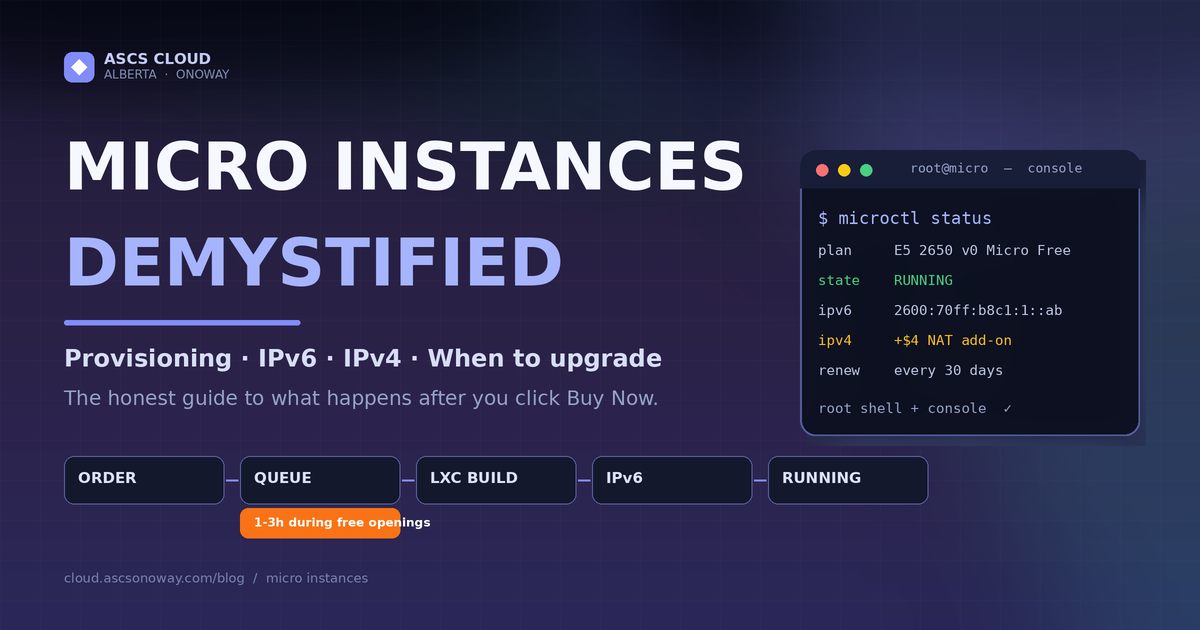
Most micro-instance questions are really questions about the edges: how long until the container is actually running, why IPv6 works but a request to an IPv4-only API does not, and when to stop saving a few dollars a month and move to a VPS. Here are the real answers, including the queue behaviour during free openings.
First, what you are actually renting
A micro instance is a Linux container on Proxmox VE, running on our Alberta nodes — E5 2650 v0, E5 2680v4, Core i7 12700KF and Core i9 14900KF hardware in Onoway. You get root inside the container, its own filesystem, CPU/RAM/disk limits, a console, and a public IPv6 address.
It is not a full virtual machine. You share the host kernel, so there is no Windows, no custom kernel, and no booting your own ISO. That trade-off is exactly why the price is low and the startup is fast. If you need kernel-level control, that is a VPS job.
Provisioning: what “Pending” actually means
Clicking buy does not magically produce a running server. Five things happen in order, and knowing them makes the waiting much less mysterious.
1. Order accepted
Free orders are approved immediately with no payment; paid micros go through checkout first.
2. Queue — the part that can take 1–8 hours
During a free opening we get a rush of signups. Containers are built in sequence, and a long queue can take one to eight hours to drain. Nothing is broken: your order is waiting its turn.
3. Node and storage placement
We pick an eligible node with room for the container and choose storage that can hold it. The free tier is pinned to the E5 2650 v0 rig, with overflow storage available when its local pool is tight.
4. Container build and IPv6
The LXC is created, resource limits are applied, your OS or app preinstaller runs, and a public IPv6 address is assigned and routed.
5. Verification and delivery
We check networking, then flip the order to Running and deliver the console and SSH details. You do not need to click anything to make that happen.
Duplicates make the queue longer and can run into the two-per-account free limit. Watch My Servers: the status changes there on its own. If an order reports a provisioning failure rather than Pending, open a support ticket with the order ID.
Order status : Running
Plan         : E5 2650 v0 Micro Free
Public IPv6  : 2600:70ff:b8c1:1::ab
Console      : available
SSH          : ssh root@<your-assigned-ipv6>
Paid plans normally move through this pipeline in minutes, not hours. The long queue is mostly a free-opening event, and it is the price of opening a popular free tier without turning signups into broken half-provisioned containers.
IPv6-first: what works and what does not
Every micro instance includes one public IPv6 address. There is no NAT between the container and the IPv6 internet, which makes these boxes genuinely useful for learning real routing, firewalling and dual-stack DNS.
Works well out of the box
- SSH directly over IPv6:
ssh root@2600:70ff:b8c1:1::ab - AAAA DNS records and IPv6-native websites and APIs
- Testing nftables, ufw and real public routing
- Node-to-node IPv6 experiments without home CGNAT
Does not work without help
- IPv4-only APIs, package mirrors or clients
- Visitors who only have IPv4 connectivity
- Automatic NAT64/DNS64 translation — we do not run it
- An A DNS record pointing at an address you do not have
Public also means public. There is no NAT firewall quietly protecting a misconfigured service, so put a firewall in front of anything you expose. If “it works on Google” is your only connectivity test, check your dependency chain before assuming IPv6 is enough.
No IPv4? You have three real options
IPv4 is not hidden or automatic on the micro tier. Choose based on what you are actually serving:
Shared IPv4 NAT — +$4 CAD/month
One shared public IPv4 address, eight forwarded ports, and outbound IPv4 from the container. Good for IPv4-only visitors, package installs and small game or web services.
You do not get a dedicated IP, all 65,535 ports, or a reputation you can trust for mail.
Routed IPv6 /64 — $2/month
A full /64 routed to your service when you need more IPv6 address space than the single included address. Still IPv6-only.
Useful for labs, IPv6 subnetting practice, and services that allocate per-client addresses.
If you need dedicated IPv4, 1:1 NAT, every port, a clean sending reputation for email, Windows, or a custom kernel, skip the add-on and use a VPS. On VPS and dedicated plans a dedicated IPv4 is included, and additional dedicated addresses are available at $12.50 CAD/month each, up to two. Private VLAN isolation is $2.50/month.
Decide before checkout where you can: enabling the NAT add-on later is supported, but planning eight port forwards up front is easier than reshuffling a live service.
I need more — where do I go?
There is a ladder, and you do not have to change providers to climb it.
Within micro: move up from 1 GB to 2 GB or 4 GB of RAM, from 16 GB to 32 GB SSD, or to plans with an additional 300 GB HDD, and choose faster E5 2680v4, i7 12700KF or i9 14900KF tiers. Paid micro plans start at $3.08 CAD/month. Plan changes and OS or app reinstalls are handled in the panel.
On the free tier: the current run is the E5 2650 v0 container — 1 vCPU, 512 MB RAM, 16 GB SSD, console access and a public IPv6 address in Alberta. Renew every 30 days to confirm active use. There is no formal uptime agreement: automatic failover tries to restart your instance on whatever ASCS hardware is available, and you are not guaranteed the same specs or platform. The run is capped at 250 units; when it sells out, the paid micro plans remain open.
On a VPS: dedicated IPv4, all ports, full root control, custom kernels, Windows images and a clearer performance floor. If you are running Docker with a database, parallel builds, or anything you would describe as production, this is where you should land.
FAQ
How long does provisioning take?
Paid micro instances normally take a few minutes. During a free opening, expect a 1–8 hour queue drain when signups arrive in a rush.
Why has my free order been pending for hours?
It is in the queue, not forgotten. Containers are created in sequence. Do not duplicate the order; that makes the queue longer and may hit the two-per-account free limit.
Can I add IPv4 after ordering?
Yes. Enable the shared IPv4 NAT add-on from the panel. If you know you need IPv4, add it at checkout so the eight port mappings are easy to plan.
Is the shared IPv4 address dedicated to me?
No. It is shared, with eight forwarded ports and outbound IPv4. You do not get a dedicated IP or all 65,535 ports.
What if I need all ports or a clean IP for mail?
Use a VPS with a dedicated IPv4. Micro instances are built for small, low-cost services, not mail servers or port-heavy applications.
Can I run Docker?
Yes on paid plans with enough memory. Docker plus a database is tight at 1 GB; choose 2 GB or more. The free tier is for learning and light workloads.
What happens after 30 days on the free tier?
You renew from the dashboard to confirm you are still using it. Instances that are not renewed are reclaimed so the hardware stays available.
Does failover keep the same hardware?
No. We attempt to restart on available ASCS hardware, and the specs or platform may change. The free tier has no formal uptime agreement.
Can I install Windows or a custom kernel?
No. Micro instances are LXC containers sharing a host kernel. Use a VPS for Windows, custom kernels or your own ISO.
Is the IPv6 address really public?
Yes. It is directly routable with no NAT in front of it. Secure the services you expose with a firewall.