Learning production cloud infrastructure in 2026 usually comes with a specific kind of tax.
On one end of the spectrum, you have the big hyperscalers where "free tiers" often come with hidden bandwidth traps, strict hourly caps, or an unexpected bill three months later because you forgot to tear down a public IP reservation. On the other end, you have local homelabbing—which is fantastic, until you try to test true public routing, external SSL challenges, or IPv6 configurations without wrestling with Carrier-Grade NAT (CGNAT) or poking holes in your home router.
To give developers, students, system administrators, and homelab enthusiasts a clean, risk-free sandbox, we're launching a completely free, container-based Linux VPS tier hosted directly out of our infrastructure right here in Onoway, Alberta.
No credit card games, no surprise invoices—just raw Linux container access backed by real hardware.
Why Launch an IPv6-First Free Tier?
The cloud landscape has shifted dramatically. The industry is rapidly moving away from legacy IPv4 address hoarding toward native IPv6 networking, containerized microservices, and lightweight edge compute nodes. However, finding environments that let you practice on true public IPv6 infrastructure without unnecessary layer-upon-layer of NAT overhead is surprisingly difficult.
Setting up actual public IPv6 routes, configuring modern firewalls, or testing lightweight microservices shouldn't require entering a credit card or constantly checking an hourly usage meter.
We built this free tier to bridge that gap: a dedicated, isolated environment where you can mess around in the terminal, break things, rebuild them, and actually learn how modern networking works on public internet infrastructure.
Under the Hood: Hardware & Instance Specs
Unlike typical micro-VMs that slice up resources using heavy hardware virtualization, each free instance on ASCS Cloud uses LXC/container-based isolation running directly on local server nodes. This means virtually zero hypervisor overhead—your container gets direct, snappy performance out of every megabyte of RAM and every vCPU cycle allocated to it.
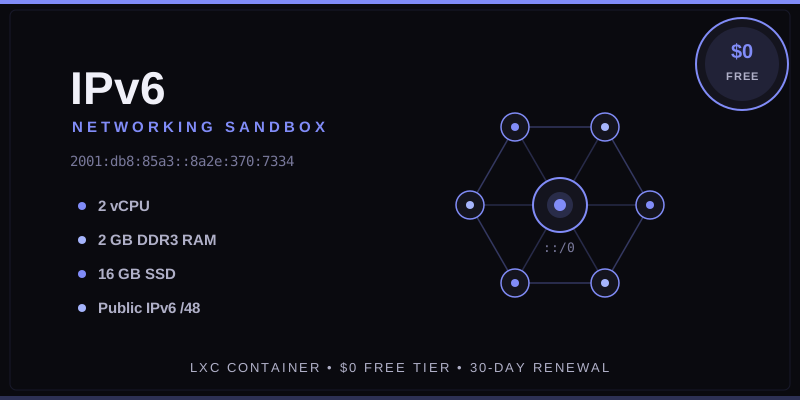
Here is the exact spec breakdown for the free micro-instance:
- Compute Engine: 2 vCPUs (Intel Xeon L5630 allocation)
- Memory: 2GB DDR3 RAM
- Storage: 16GB SSD Storage
- Networking: Dedicated Public IPv6 Alberta Address
- Management: Web-Based Console Access + Direct SSH
- Node Location: Onoway, AB Data Enclosure
- Pricing: $0 Free Tier (30-day active-use renewal)
What Can You Actually Build with 2 vCPUs and 2GB RAM?
While 2GB of RAM and 16GB of SSD storage aren't designed to host heavy enterprise database clusters or intensive video rendering pipelines, it is the absolute sweet spot for lightweight, high-utility Linux workloads.
If you're wondering what to do with a static IPv6 node, here are a few real-world projects you can spin up today:
1. Hands-On IPv6 & Firewall Practice
If you've spent years only dealing with IPv4 subnets, broadcast domains, and port forwarding, IPv6 can feel a bit like learning a new language. Having a static public IPv6 address allows you to learn stateful vs. stateless firewalling with nftables or ufw, set up dual-stack DNS records, and test direct node-to-node routing without NAT masking your IP.
2. Edge Reverse Proxies & Tunnels
Run an Nginx, Caddy, or Traefik instance that acts as a secure entry point for your home server or local dev environment. Combine this micro-instance with WireGuard, Tailscale, or Cloudflare Tunnels, and you can route external web traffic securely back to your homelab without ever exposing your residential network directly to the open web.
3. Microservice & Container Sandbox
Deploy lightweight Docker containers, Go binaries, Node.js scripts, or Rust applications. Because containerized environments are so resource-efficient, 2GB of RAM gives you plenty of headroom to run multiple background services, automated bots, static site generators (like Hugo or Jekyll), or custom REST APIs.
4. Terminal & System Administration Mastery
If you're studying for Linux certifications (like RHCSA or Linux Foundation credentials) or just want to level up your CLI skills, having an always-on Linux box is invaluable. Practice writing systemd unit files, setting up automated cron jobs, managing SSH key authentication, or scripting system monitoring tools in Python or Bash.
How the Free Tier Works: Fair-Use 30-Day Renewals
We want to keep this hardware available for people who are actively building, learning, and experimenting. One of the biggest issues with free hosting tiers across the web is "zombie instances"—servers created for a 10-minute test and then completely abandoned, sitting idle and eating up IP space and RAM that could be used by someone else.
To ensure resources remain available for active users:
- Your server is 100% free. No payment information is required to claim your instance.
- Simple 30-day renewal cycle. Every 30 days, you'll get a prompt in your dashboard to confirm that you're still using the server.
- One-click extension. A quick click extends your instance for another 30 days. As long as you're using it, it stays yours.
No hidden catch, no automatic roll-over into a paid subscription, and no surprise charges down the line.
Claim Your Instance and Start Building
Whether you want to test out an IPv6 proxy, practice Linux command-line management, or host a lightweight web app on local Alberta infrastructure, the sandbox is ready for you.
Head over to the portal, select Claim Free Server, and your container will be provisioned and ready for SSH access in a matter of seconds.