For years, “the network” was the part of cloud hosting you did not touch. You picked a plan, got an IP, and if you needed a VLAN, a subnet, or another address, you opened a ticket and waited. The server was yours. The network was somebody else’s problem.
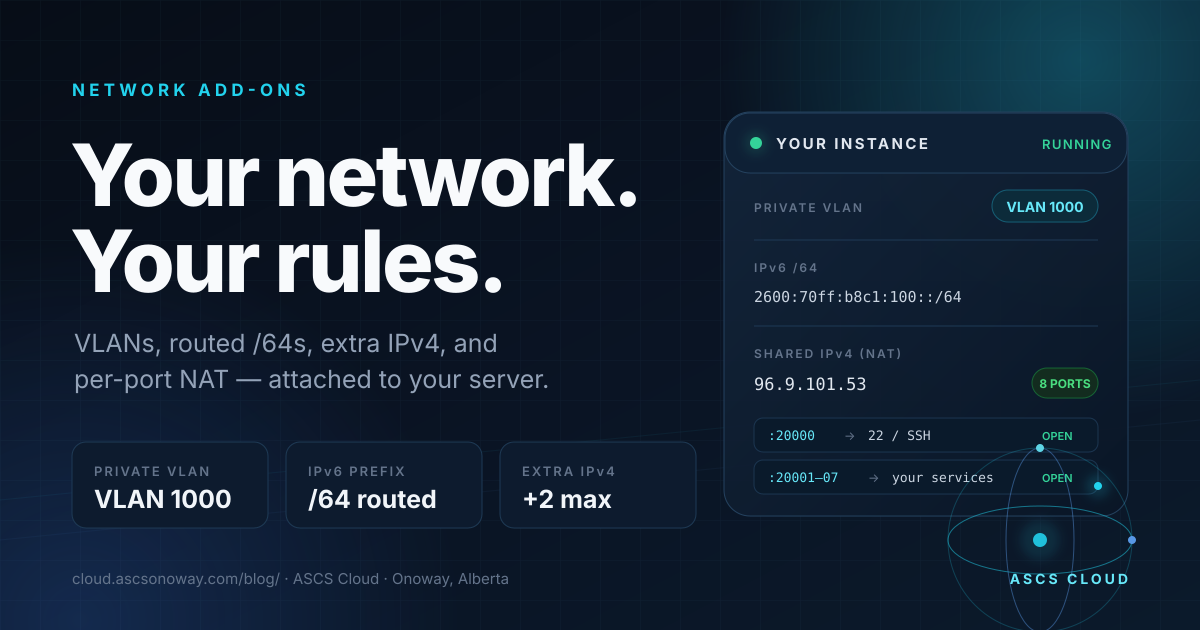
That is no longer how this works. Your server can now carry a private VLAN, a routed IPv6 /64, a Shared IPv4 NAT block, and additional dedicated IPv4 addresses at the same time — each one visible, priced, and attached to the machine it belongs to.
Private VLAN isolation is $2.50 CAD/mo. A routed IPv6 /64 is $2 CAD/mo. Shared IPv4 NAT is +$4 CAD/mo on Micro and a $7.50 CAD/mo saving on VPS and dedicated plans. Extra dedicated IPv4 is $12.50 CAD/mo each, up to two.
The old way was a flat network and a ticket queue
Most budget hosting gives every customer the same shape: one public IPv4, one flat Layer 2 segment, and a firewall you can only poke from the outside. It works until you need a second address, a separate broadcast domain, or more than a handful of inbound ports. Then the answer becomes “open a ticket” — and the ticket becomes a project.
The old default
One IP. One flat network. Ports requested by email. VLANs and subnets treated as custom engineering. Every change waits on a human.
The granular default
Attach exactly the network pieces the workload needs. Each add-on is independent, priced up front, and shown in the panel next to the server.
Four add-ons, one control panel
These are not abstract features. They are small, composable network primitives. Use one, use all four, or ignore them entirely.
Private VLAN isolation
A dedicated VLAN keeps your traffic on its own Layer 2 segment instead of sharing a flat broadcast domain with every other tenant. It is the difference between “a server on the internet” and “a network you own.”
A real IPv6 /64
Not one address — a routed prefix with 264 addresses. Give every container, VM, or service its own public IPv6 without NAT, port forwarding, or address sharing.
Shared IPv4 NAT
Eight forwarded ports on a shared public IPv4. Public port maps to your internal port, with TCP/UDP support. Perfect for SSH, game servers, dashboards, and anything that needs a predictable inbound port.
Additional dedicated IPv4
Need a second address for a separate service, a mail path, or a clean migration? Add up to two extra dedicated IPv4 addresses to a VPS without changing the plan underneath it.
What it looks like when it is all attached
Here is a real micro-instance panel with the full network stack enabled. This is the whole point: the network is no longer hidden in a billing system or a ticket. It is on the server card, in plain language.
Micro · NEW FEATURES TEST LAB
i9 Micro Nano (Monthly) · i9 14900kf · VLAN 1000
Shared IPv4 (NAT) active — 8 ports open, +$4/mo. Ports show as shared-IP:public → your server port.
That panel is not a mock-up of a future feature. It is the current behaviour: a public IPv6 address, a private VLAN, a routed /64, and eight forwarded IPv4 ports, all attached to one small server.
How the pieces fit together
Recipes that actually use this
1. The home lab that escaped the house
Put a private VLAN around the lab, hand every container its own address from a routed /64, and keep the management plane on one forwarded IPv4 port. You get the topology you would build at home — without the residential ISP, the dynamic DNS, or the “why is my CGNAT doing that” conversation.
2. The game server with a predictable port
Game servers are a port-forward problem wearing a trench coat. Shared IPv4 gives you eight public ports with TCP/UDP mapping. Point the game port and the query port at the server, leave the rest closed, and stop paying for a dedicated IPv4 you do not need.
3. The dual-stack web app
Serve AAAA from the routed /64, keep a dedicated IPv4 for clients that still need it, and use the VLAN to separate the database and internal services from the public web tier. Each layer gets the addressing it deserves.
4. The migration with two addresses
Moving a service is easier when the old and new hosts can both answer on real addresses. Add an extra dedicated IPv4, stage the migration, cut DNS when you are ready, then release the extra address. No downtime theater.
5. The router nerd
If you want to run your own edge, start with ASCS Cloud Bridge. The same platform exposes routed prefixes, VLANs, port forwards, and source NAT — so the network you build on top is not a simulation.
Pricing, without the mystery
Private VLAN
Dedicated Layer 2 isolation. Available on VPS, Micro, game servers, WordPress, dedicated, Windows RDP, and colocation.
IPv6 /64
A routed prefix, not a single address. Available on VPS and Micro instances. Yearly billing is $24.
Shared IPv4 NAT
Eight forwarded ports on a shared public IPv4. On VPS and dedicated plans, switching from a dedicated IPv4 saves $7.50/mo.
Extra dedicated IPv4
Up to two additional addresses on a VPS. Yearly billing is $125 per address.
| Add-on | What you get | Best for | Price (CAD) |
|---|---|---|---|
| Private VLAN | Dedicated VLAN / Layer 2 isolation | Labs, multi-tier apps, isolation | $2.50/mo |
| IPv6 /64 | Routed prefix, 264 addresses | Containers, VMs, dual-stack services | $2.00/mo |
| Shared IPv4 NAT | Shared IPv4 + 8 forwarded ports | SSH, game servers, dashboards | +$4/mo Micro · saves $7.50/mo VPS |
| Extra IPv4 | Additional dedicated IPv4 (max 2) | Mail paths, migrations, separate services | $12.50/mo each |
The add-on price is the price. There is no “network change” line item, no per-port charge, and no surprise invoice after a subnet is attached. If a change needs our team — like VLAN activation — we say so up front.
How it works under the hood
The panel is the easy part. The interesting part is the edge.
ASCS Cloud Bridge is a Linux-native router built on nftables. Each Shared IPv4 tenant gets a per-tenant port block, DNAT rules for the public ports, and an egress policy route so replies leave through the transit that owns the shared address. When a container is rebuilt and its LAN address changes, the platform reconciles the rules instead of leaving a dead forward behind.
IPv6 /64s are routed prefixes, not NAT pools. VLANs are real Layer 2 segments. The platform reconciles port allocations and repairs missing forwards on a schedule, so the network state you see in the panel is the network state on the wire.
That is the difference between “we can configure it for you” and “it is part of the product.”
FAQ
- Can I add a VLAN to my server?
- Yes. Private VLAN isolation is available on VPS, Micro, game servers, WordPress, dedicated servers, Windows RDP, and colocation. The price is $2.50 CAD/month, and our team completes the VLAN activation after checkout.
- What can I do with an IPv6 /64?
- A routed /64 is a real subnet. Run containers, VMs, game servers, or a router with thousands of publicly reachable addresses. It is available on VPS and Micro instances for $2 CAD/month.
- How does Shared IPv4 NAT work?
- You share a public IPv4 with other tenants, but you get eight dedicated forwarded ports. Each public port maps to a port on your server. Micro instances pay +$4 CAD/month; VPS and dedicated plans save $7.50 CAD/month by switching from a dedicated IPv4 to shared NAT.
- Can I get more than one dedicated IPv4?
- Yes. Up to two additional dedicated IPv4 addresses can be attached to a VPS order for $12.50 CAD/month each, or $125 CAD/year.
- Do these add-ons work together?
- Yes. A single server can carry a private VLAN, a routed /64, Shared IPv4 NAT, and extra dedicated IPv4 addresses at the same time. Each add-on is independent and visible in the panel.
- Do I need a support ticket to change ports?
- No. Shared IPv4 port mappings are visible in the panel and can be repointed from the Add-ons page. The platform also reconciles and self-heals NAT rules and egress policy automatically.
Build the network your workload actually needs
Start with one server. Add a VLAN, a /64, a NAT block, or an extra IPv4 when the workload asks for it — not when a ticket queue says yes.
Already running a server? Open Add-ons in the panel to attach a network add-on, or talk to us if you want help designing the topology.