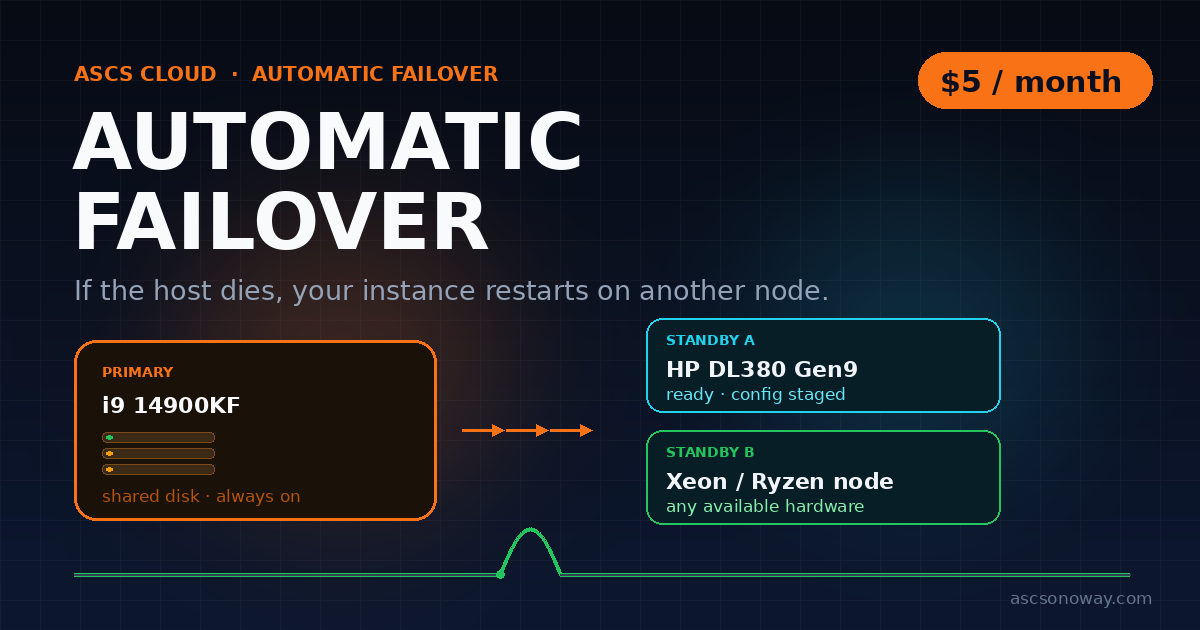
A host failure is the one outage you cannot debug your way out of. The machine is gone; the disk is not. Automatic failover closes that gap: the same instance starts on another node, using the disk it already had.
The short version
- Your disk already lives on shared storage. A failover does not copy it.
- Every covered instance has a primary target and a second target.
- When health checks mark the host down, the failover orchestrator starts the same config on a standby.
- Your address, ports and DNS stay the same.
- $5/month, or $60/year, on VPS, micro instances, AMP apps and WordPress hosting.
What actually happens
- Detect.Health checks mark the host down. The same signals drive the public status page, so a failover is not a silent event.
- Place.The registry chooses a target that already mounts your storage and has enough RAM. Business and failover-add-on instances are placed first.
- Stage.The target already holds your config. No disk image is copied during the outage, which is why recovery is minutes rather than hours.
- Start.The instance boots on the standby. Address, ports and DNS do not change.
- Return.When the original host is healthy again, the instance can be moved back. Failover is a detour, not a migration.
What it does not do
If your instance goes offline, automatic failover spins this up on any available ASCS hardware. You are not guaranteed, nor likely, to failover to the same specs or platform.
That is the trade: a $5 add-on buys continuity, not identical hardware. A busy node may have fewer cores free, a different CPU generation, or a different storage pool. Your data and config survive; the benchmark does not.
Not a backup
Failover protects against a host dying. It does not protect against a deleted file, a bad deploy, or a corrupted database. Those reach the standby disk too.
Not storage rescue
Failover moves compute. If the storage holding your disk is the thing that is unavailable, the instance waits for storage to return.
Not instant
Detection plus boot is measured in minutes. If you need sub-second recovery, you need a replicated application tier, not a single instance.
Not an excuse to skip testing
Keep backups. Keep your deploy reproducible. Failover is the safety net, not the whole act.
Failover vs backup
| Automatic Failover | Backup | |
|---|---|---|
| Protects against | Host or hardware failure | Deletion, corruption, bad deploy |
| Recovery point | The live disk, up to the last write | The last backup |
| Recovery time | Minutes | Restore time |
| Cost | $5 CAD / month | Storage cost |
Who it is for
Good fit
A client site, API, dashboard, bot or WordPress install where an hour offline costs more than $5. Anything you would rather not rebuild by hand at 2 a.m.
Poor fit
A lab box you can rebuild from a script. A workload that needs the exact same GPU or CPU model after a failure. A substitute for backups.
How to add it
On VPS, micro instances and AMP apps, the order card has an Automatic Failover toggle. On WordPress hosting, it is a checkbox under Optional add-ons. Already have a service? Open My Servers → Add-ons.
If you received the automatic-failover notice, it is already on your account at no charge. The checkout toggle is hidden for those accounts, so you cannot buy it twice.
$5 CAD/month or $60 CAD/year per instance. Available on VPS, micro instances, AMP apps and WordPress hosting. Existing notified customers keep it free.
Questions
Does it keep my IP?
Yes. The instance keeps its address, ports and DNS. Only the physical host changes.
Will it come back on the same hardware?
No. It starts on any available ASCS node. You are not guaranteed, nor likely, to failover to the same specs or platform.
Is it a backup?
No. It protects against a host failure, not against data loss. Keep backups.
What if my instance uses local storage?
Failover needs the disk to be reachable from the standby node. Instances on shared storage qualify; local-only instances cannot be started elsewhere.